AI Reminder App: Set Reminders with Natural Language
Stop fiddling with date pickers and time selectors. Just tell Omnioto what you need to remember and when. The AI understands natural language like "tonight," "in 2 hours," or "every Monday at 10am" and sends you a push notification right on time.
How Natural Language Reminders Work
Setting a reminder should be as easy as telling a friend "remind me to call the dentist tomorrow morning." With Omnioto, it is. The AI parses your natural language, extracts what you want to be reminded about and when, and creates the reminder automatically. No date pickers. No time dropdowns. No manual formatting.
The AI understands a wide range of time expressions. "Tonight" maps to 8:00 PM in your timezone. "Tomorrow morning" becomes 9:00 AM. "In 2 hours" calculates the exact time from now. "Next Friday at 3pm" finds the right date. You can also use absolute dates like "March 15 at 2:30pm."
When the scheduled time arrives, you receive a push notification on your device, even if the Omnioto app is not open. The notification includes the reminder text so you immediately know what it is about. Tap to open the app and take action, or dismiss it if you have already handled it.
Natural Language Reminder Examples
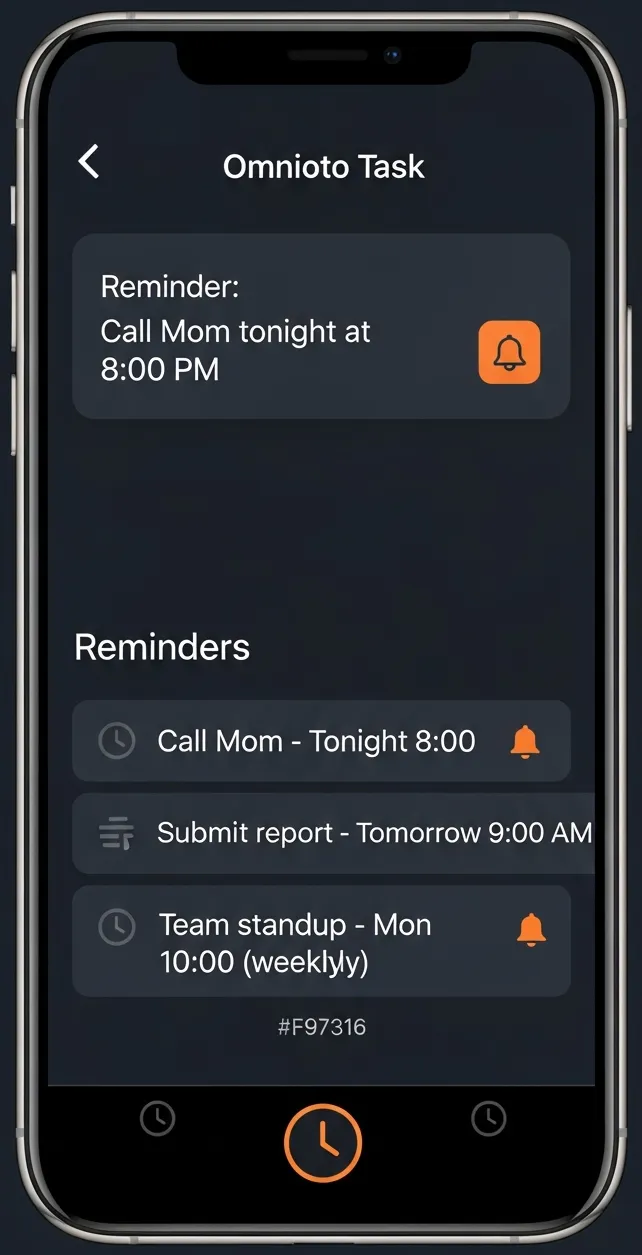
"Remind me to call Mom tonight"
Today at 8:00 PM
"Remind me about the dentist at 2pm tomorrow"
Tomorrow at 2:00 PM
"In 30 minutes remind me to check the oven"
30 minutes from now
"Every Monday at 10am remind me to submit the report"
Recurring: every Monday at 10:00 AM
"Remind me to renew my passport next month"
Next month, 9:00 AM
"Every weekday at 9am remind me to stand up and stretch"
Recurring: Mon-Fri at 9:00 AM
Push Notifications That Arrive on Time
Omnioto uses web push notifications to deliver reminders at the exact time you specified. Notifications work even when the browser tab is closed, as long as the browser is running. On mobile, add Omnioto to your home screen for the most reliable notification delivery.
Recurring Reminders Made Simple
Need a reminder that repeats? Just describe the pattern in plain English. Omnioto understands daily, weekly, biweekly, monthly, and custom recurrence patterns. No need to navigate complex recurrence settings or figure out which radio buttons to click.
Say "every Monday at 10am remind me to submit the weekly report" and you get a notification every Monday at 10:00 AM. Say "every weekday at 9am remind me to take my medication" and it fires Monday through Friday. The AI handles the recurrence logic so you do not have to.
Daily
Every day at 9am
Weekly
Every Monday at 10am
Weekdays
Every weekday at 8:30am
Biweekly
Every 2 weeks on Friday
Monthly
1st of every month at noon
Custom
Every Tuesday and Thursday at 3pm
Omnioto vs Default Reminder Apps
| Feature | Omnioto AI | Default Apps |
|---|---|---|
| Setting time | Natural language ('tonight at 8') | Date/time pickers |
| Recurring patterns | Natural language ('every weekday') | Complex recurrence UI |
| AI memory | Remembers context and preferences | No memory |
| Snooze | 'Snooze for 30 min' via chat | Manual rescheduling |
| Voice setting | Full voice mode support | Limited Siri/Google |
| Task integration | Full task management system | Standalone reminders |
| Smart timing | AI picks sensible defaults ('tonight' = 8pm) | Must specify exact time |
Full Reminder Management Through Chat
AI Reminder App: Frequently Asked Questions
Never Forget Anything Again
Set reminders in plain English and get push notifications right on time. Free to start. No credit card required.
Get Started Free